Browse topics
Moving Candidates Through the Pipeline
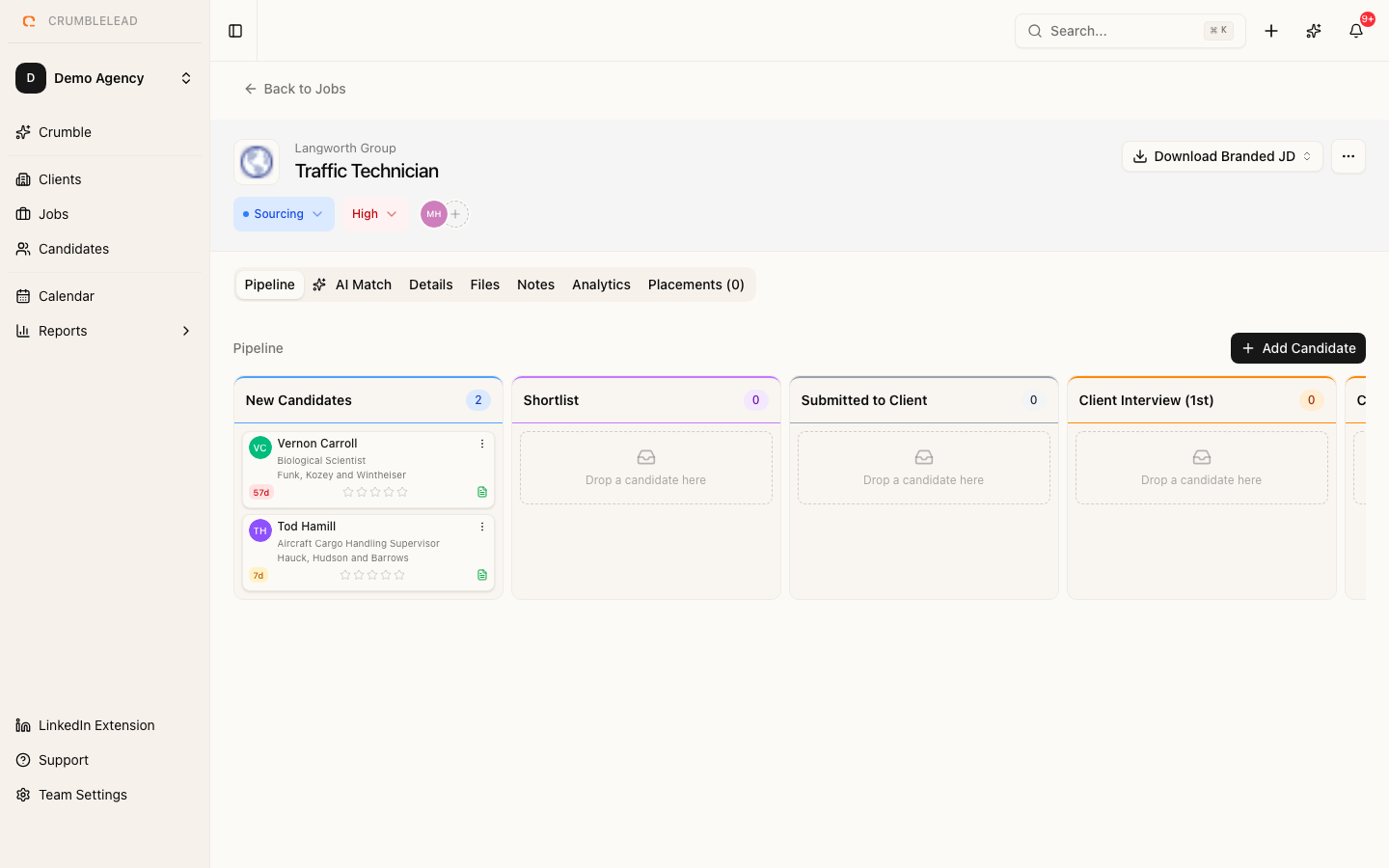
The pipeline view
Open any job to see its pipeline: a board with a column for each stage and a card for each candidate on the job, so you can see at a glance where everyone stands.
Moving candidates between stages
Drag a card to another column to move the candidate. The move saves straight away and is recorded in the candidate's activity, so anyone on the team can see what changed and when. Moving a candidate does not send any email on its own.
Adding candidates to a job
Add people from the job itself, from a candidate's profile, from a talent pool, or with AI Match, which suggests strong fits from your database for you to review. Nobody is added to a pipeline unless you choose to add them.
Emailing candidates from the board
Use the email action on a candidate's card to write to them from your connected Gmail, Outlook or SMTP mailbox, starting from a saved template or your own words. The email is logged on the candidate's record. See Send email from Gmail or Outlook and sync your calendar.
Which stages does a job use?
Every job in your workspace shares the same stages, which an admin sets in Settings > Pipeline stages. Each stage can also be given a reporting role, which drives your funnel and forecast. See Set up pipeline stages for an agency.